The short version
On three projects, I made AI write one page before it wrote any code. The page said who the tool was for, what we wouldn’t build, where it would run and where the data would live.
All three pages saved work. One of them was missing a line: the database on my computer must be the same kind as the one in the cloud. Leaving that line out cost three days of fixing just before launch, including one bug that treated every sales record as out of date.
So this post is about the page, and about the line I forgot.
Three words you’ll see
When people talk about how software is built, three choices come up again and again. You don’t need to understand them deeply, but you need to decide them early.
- Hosting: the computer your tool runs on when other people use it. For most small web tools, that’s a service like Vercel.
- Database: where your data is kept. Different databases behave differently, even when they look the same from the outside.
- Framework: the kit of parts the code is built from. Changing it later usually means starting again.
These three lock each other in. Pick them after the code is written and every choice drags the old code along with it.
Project one: a stamp tool, and the list of things it wouldn’t do
My first AI-built tool stamped dates on PDFs. Before any code, the one-page plan listed twelve things it would do, then a list of things it wouldn’t: no accounts, no cloud sync, no team permissions, no approval flow, no certified e-signatures, no batch stamping.
That second list decided the technology for me. With no accounts and nothing to share, nothing needed a server. The tool ran entirely in the browser. There was no database, and no passwords or keys to look after. If a release ever needs undoing, switching back to the previous version is all it takes.
I wrote about what went wrong with that tool separately. The plan wasn’t the problem.
Project two: a trading business, and the line I left out
For a trading client’s operations system, we went further. Before anything else, we wrote one rule: no code folder until the tools are chosen. Quick experiments were allowed, but they lived in a folder marked as temporary and were never allowed to become the product.
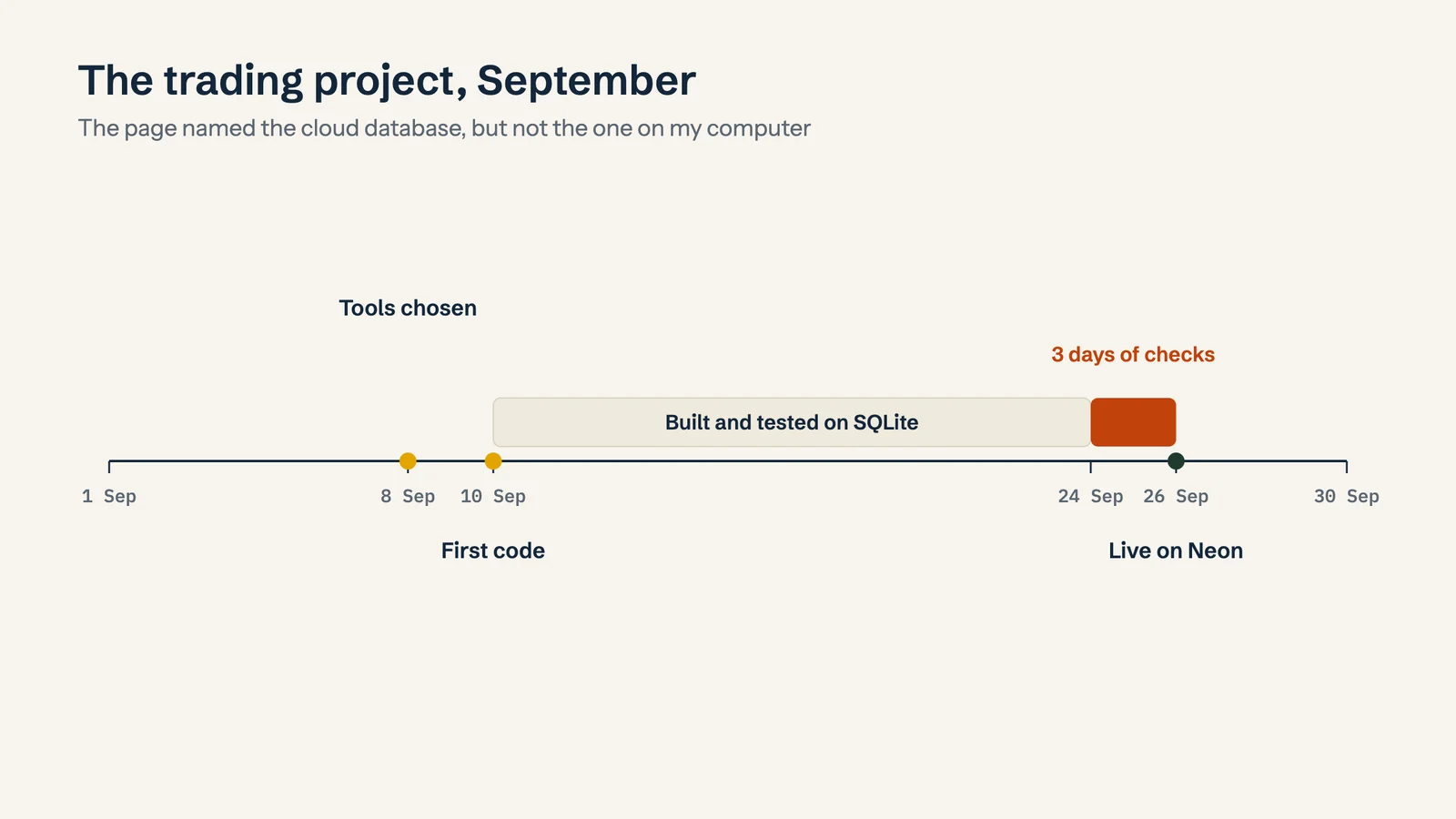
On 8 September I chose the tools: Vercel to host it, Neon for the database, Next.js as the framework. The first code arrived two days later. In the ten weeks that followed, we never had to tear up the framework and start again.
But the page said “database: Neon” and stopped there. It didn’t say what to use on my own computer while building. AI picked the easiest option, a small file-based database called SQLite, and for two and a half weeks everything was built and tested on that.
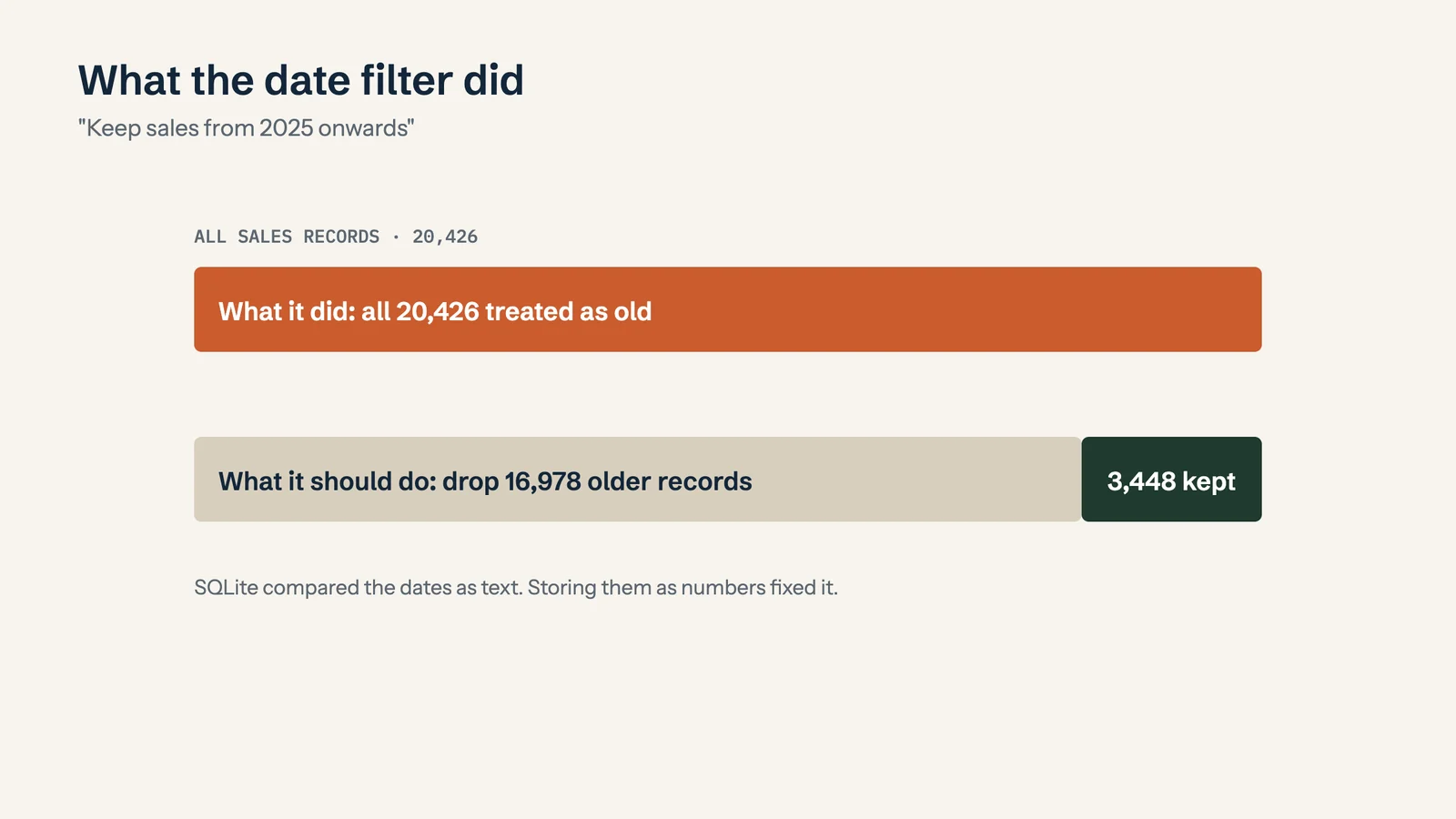
Neon runs PostgreSQL, a different kind of database. When we prepared to go live, the pre-launch check took three days and turned up a list of differences. The worst was a filter meant to keep “sales from 2025 onwards”. SQLite had compared the dates as text, and the filter treated all 20,426 sales records as old. 3,448 of them should have stayed.
The fix was simple once we knew: store the dates as numbers. The lesson was the line that should have been on the page from day one: use the same database, and the same version, on your computer as in the cloud.
Project three: a manufacturer, and which number wins
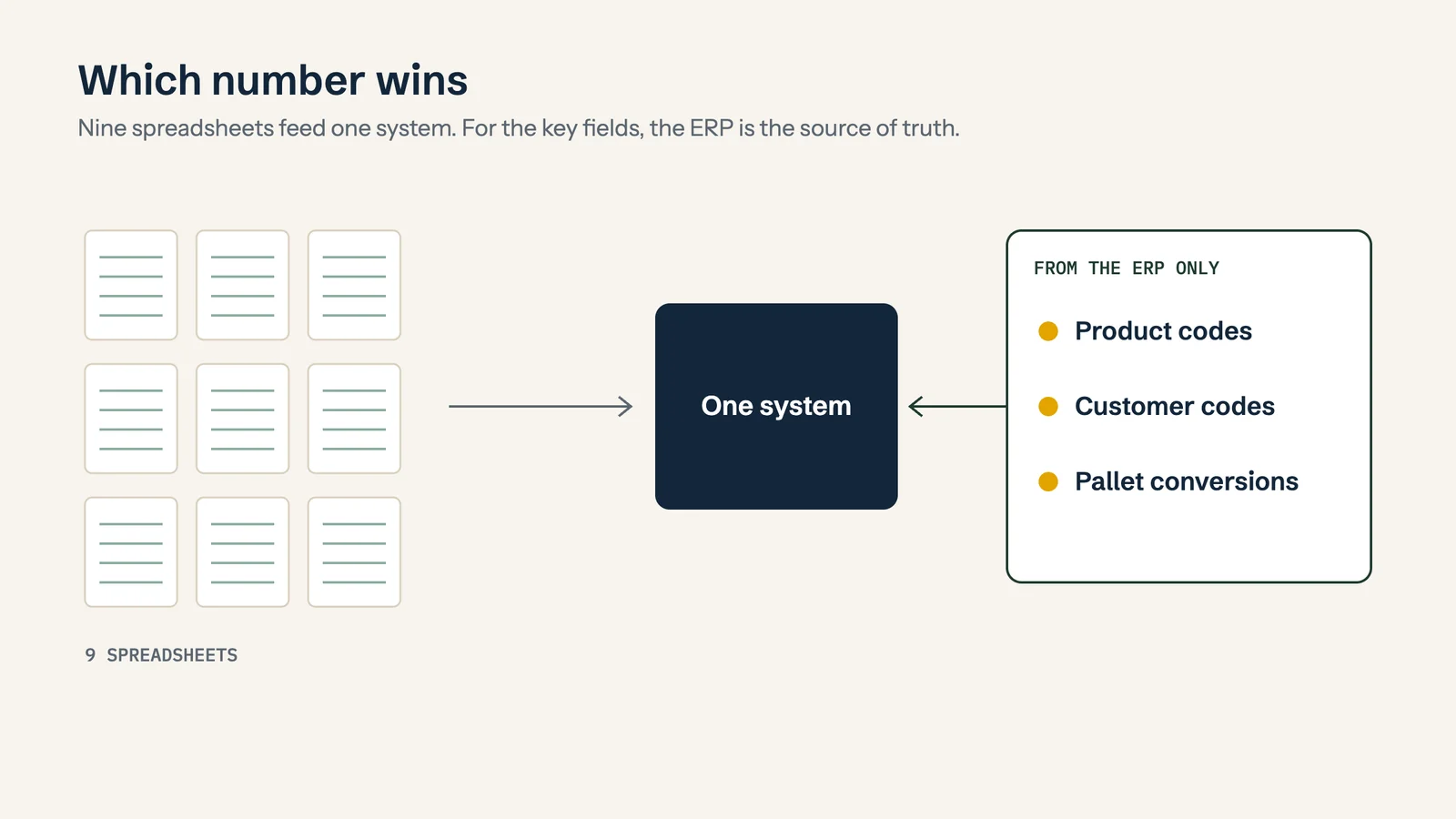
For a manufacturing client, the page was really about spreadsheets. Before the first line of code, we wrote down what the system would replace: the job of merging several Excel files by hand every day. We listed the nine spreadsheets that fed into it and what each one was for. We also wrote what the first stage wouldn’t do.
Then we pinned down which source wins when two of them disagree. Product codes come from the ERP, the business’s main stock and orders system. Customer codes come from the ERP. Pallet conversions come from the ERP, never from a spreadsheet.
That sounds like a small detail. It’s the reason the numbers in that system have barely needed re-arguing in the four months since. Reporting systems usually fall apart when the same thing has three names, and nobody agreed up front which one is real.
The page
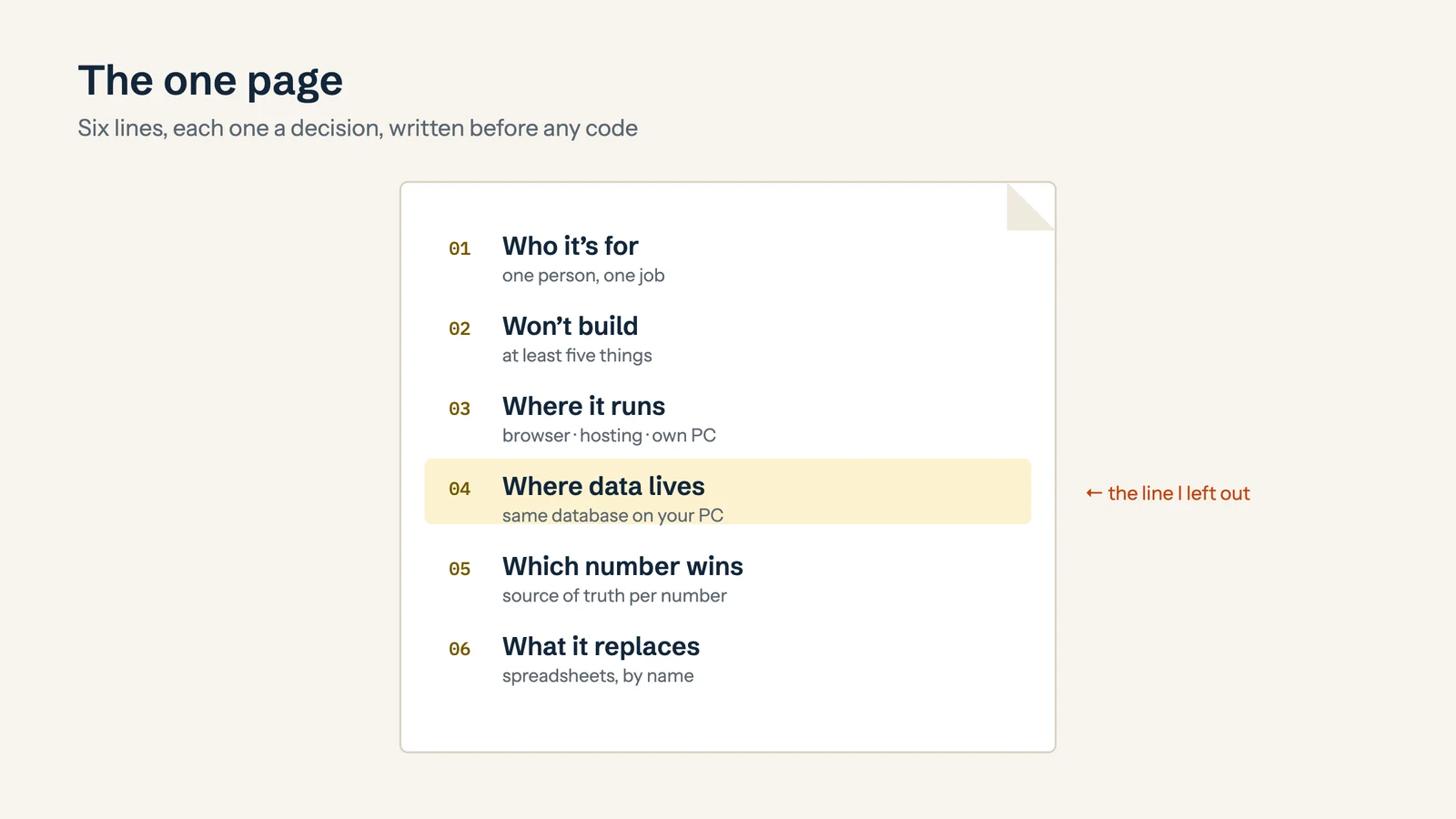
Here’s the one page I’d now write for anything bigger than an afternoon’s work. Six lines, each one a decision.
- Who it’s for, and the job it does. One sentence. If it takes two, the tool is doing too much.
- What we won’t build. At least five things. This is the line that saves the most work.
- Where it runs. In the browser only, on a hosting service, or on someone’s own computer.
- Where the data lives. Name the database, and say that the copy on your computer must be the same kind and version.
- Which number wins. For every important number, say which system is the source of truth.
- What it replaces. List the spreadsheets or manual steps by name.
You can ask AI to write it for you:
Before writing any code, write me a one-page plan for this tool. Cover: who it’s for and the one job it does; at least five things we will not build; where it runs; which database we use in the cloud, and confirm that local development uses the same database and version; which system is the source of truth for each important number; and which spreadsheets or manual steps it replaces. Don’t create any code folders until I approve the page.
Then read it properly. If a line is vague, the code will be too.
Before you start, check
- Is there a “won’t build” list, and does it have at least five items?
- Does the page name the database, and say the one on your computer is the same kind and version?
- For each important number, does the page say which system wins?
- Did AI wait for your approval before creating any code?