The short version
In November I asked AI to check a small tool I’d built back in June. It read the code and told me one thing: every time I opened it in the morning, the default date was yesterday.
The tool exists to stamp dates on documents. It had been getting the date wrong for more than four months. I still don’t know whether any document actually went out with the wrong date on it.
Where it came from
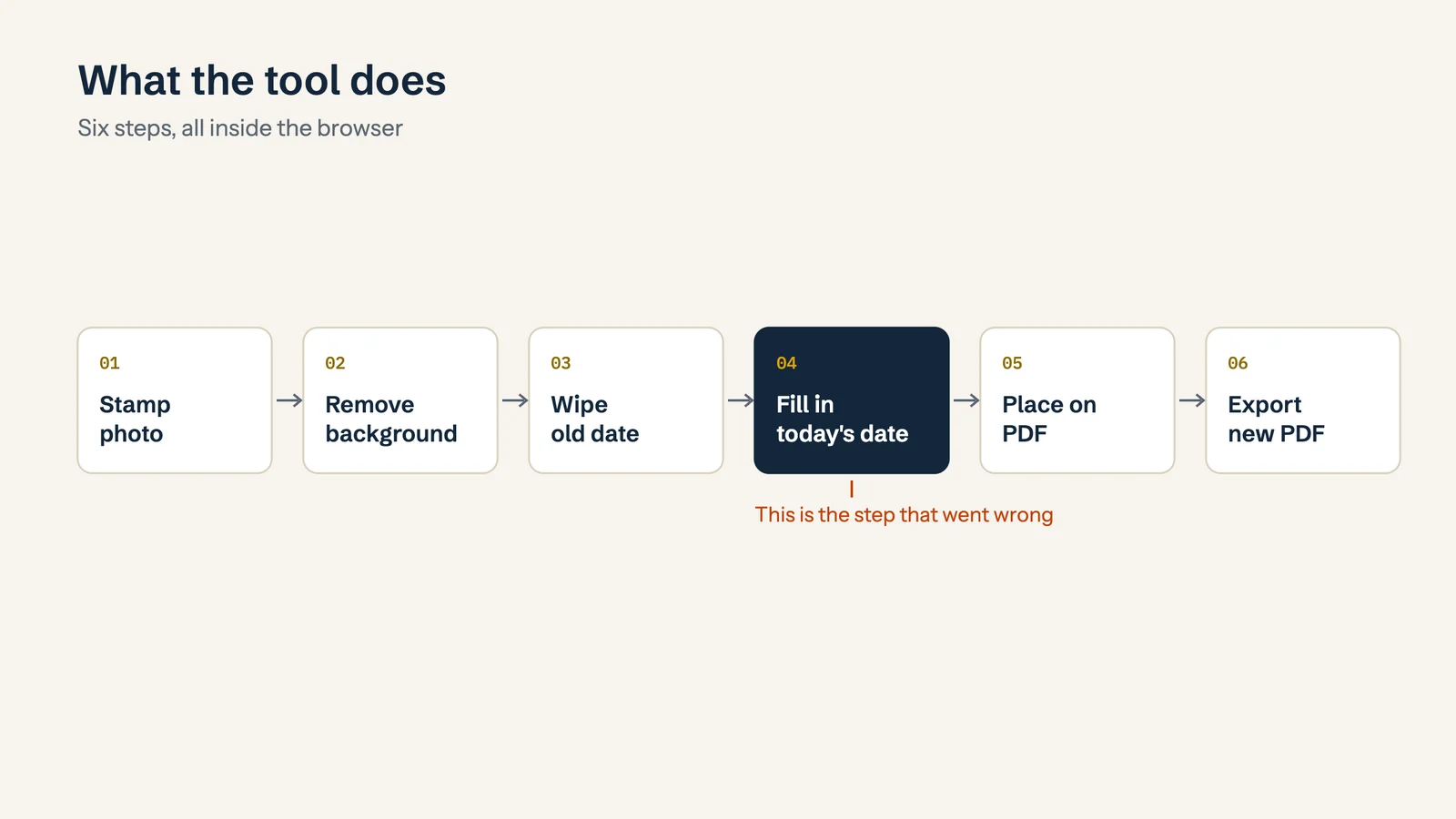
At work I often need to put a round date stamp on PDFs. The old way was to print the page, stamp it and scan it back in. I wanted a web page instead: upload a photo of the stamp, have it remove the background, wipe the old date, fill in today’s date, place the stamp on the PDF and save a new PDF.
This was the first time I’d seriously used AI to build something. I can’t build web pages myself, so before any code I asked AI to write a one-page requirements document. That page turned out to be the best thing I did on the whole project.
Write down what you won’t build
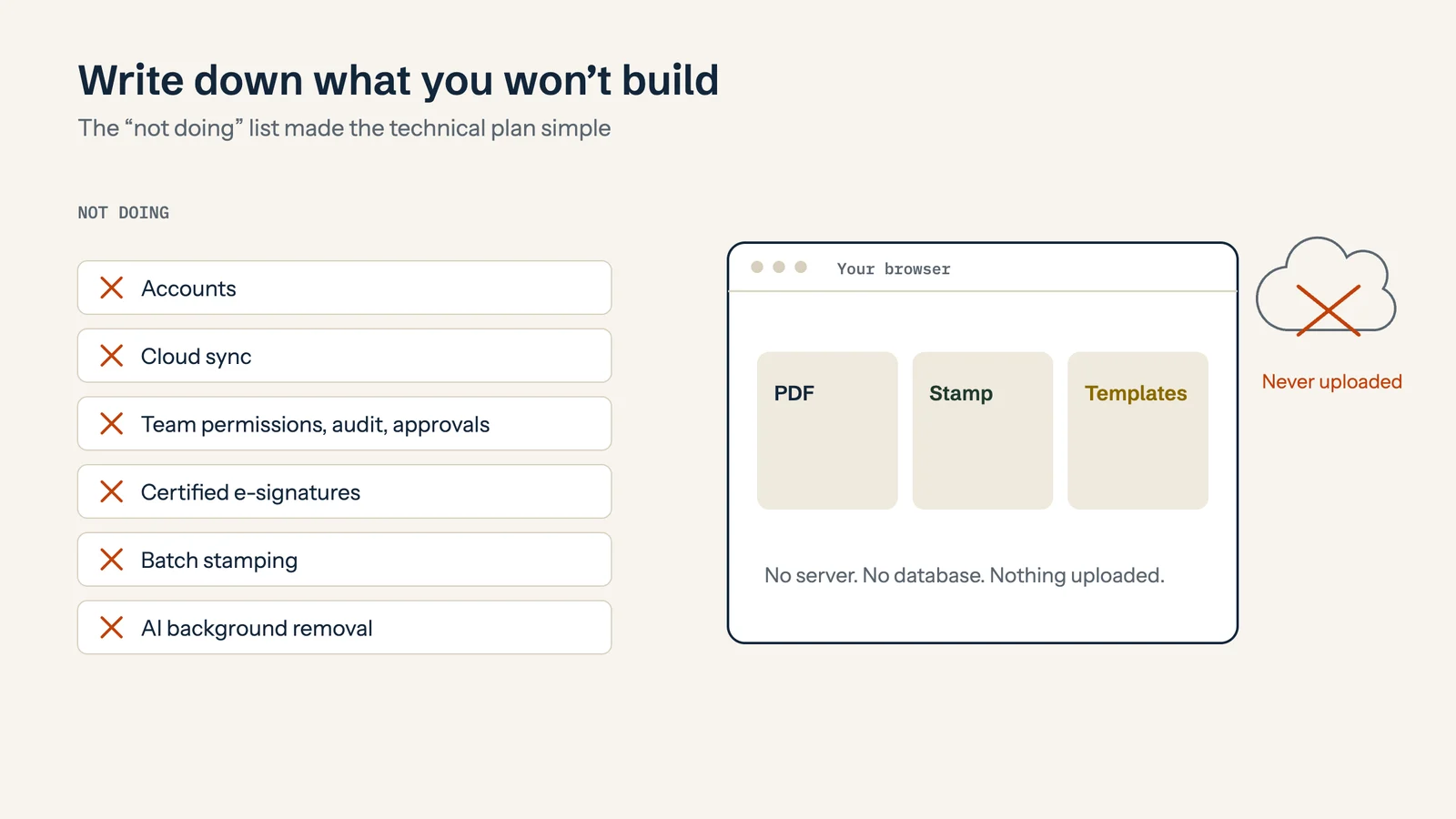
The requirements page had a “not doing” list:
- No accounts
- No cloud sync
- No team permissions, audit trail or approval flow
- No legally certified e-signatures
- No batch stamping
- No AI background removal
Once that list existed, the technical plan got simple. No server, no database. Everything happens in the browser, and neither the PDF nor the stamp is ever uploaded. Since then the tool has gone live, moved to a new machine and been rebuilt, and I’ve never once had to worry about passwords, keys or a database.
You can ask AI something like this:
I want to build a tool that does XX. Before any code, write me a one-page requirements document: who the users are, a core flow of no more than four steps, at least five things we will NOT build, and whether this can work without a backend, and why.
One thing to understand first: computers keep two kinds of time
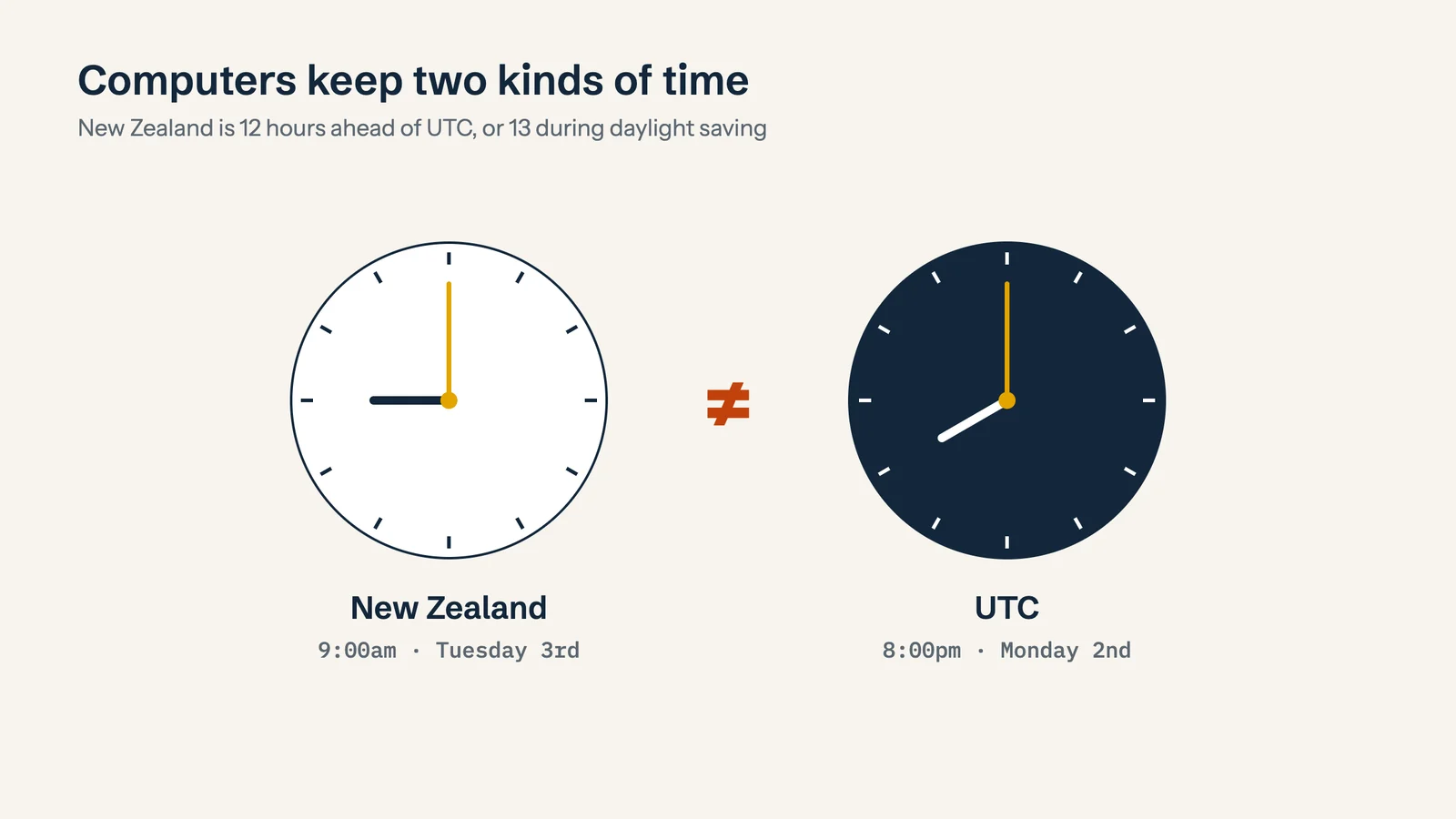
One is local time, the time you see on your phone. The other is a single clock the whole world agrees on, called UTC (you may know it as Greenwich time). Programs often use UTC behind the scenes.
New Zealand is 12 hours ahead of UTC, or 13 hours during daylight saving. When it’s 9am here, in UTC it’s still 8pm the previous evening.
Done in three days
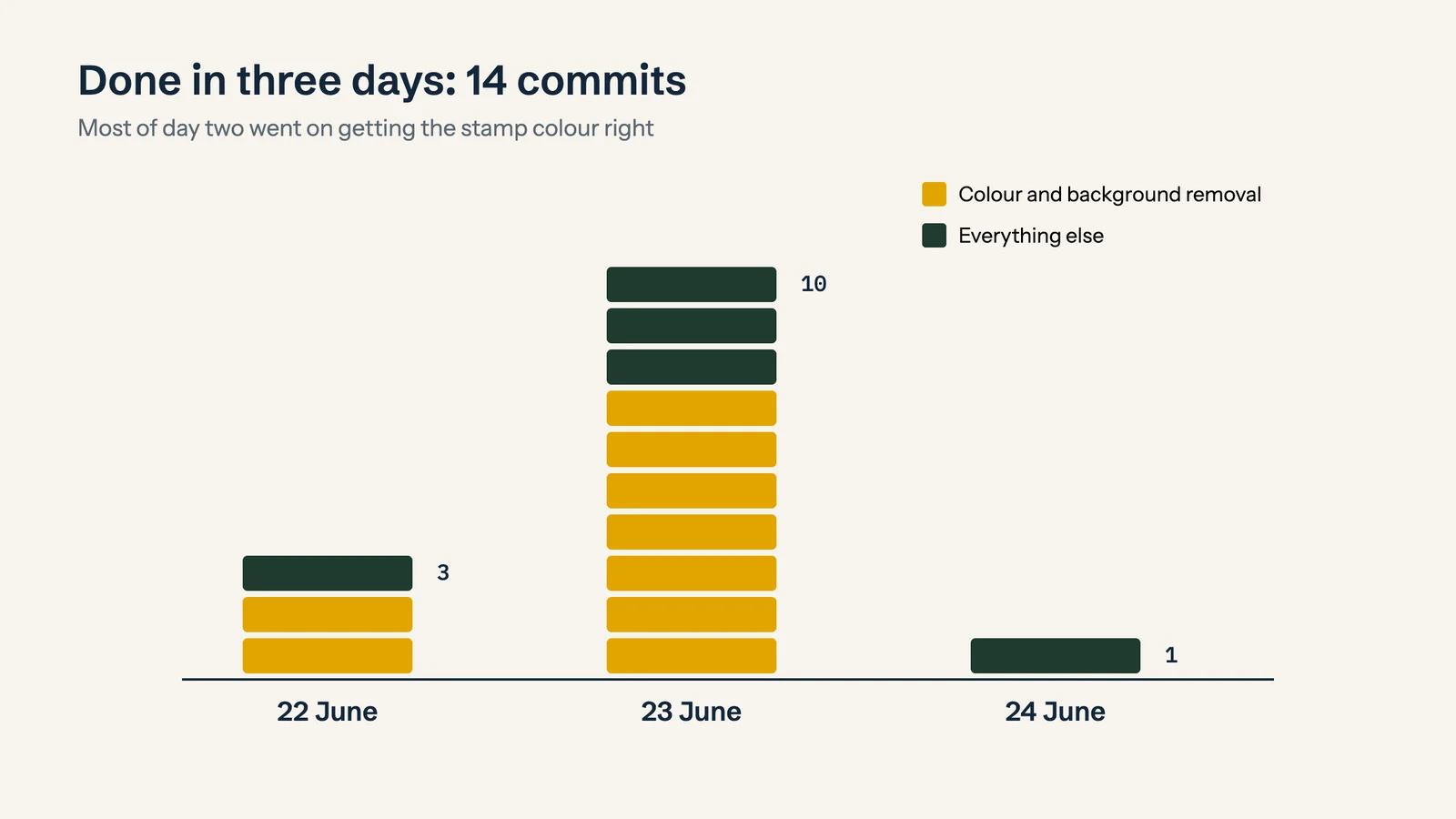
The tool was finished in three days, with 14 commits in total. It worked, I was happy with it, and I didn’t touch it again.
The hardest part was the colour of the stamp. Once the background was removed, the stamp’s original blue or red didn’t survive, and the colour of the paper bled in. On day two there were 10 commits, and 7 of them were about colour and background removal. I didn’t have a fixed set of test photos. Each time I’d look at the result, say “not quite”, and AI would change a bit more. Fix one photo and another one broke.
Two bugs I found four months later
In November I was tidying the tool up, so I asked AI to go through the code from start to finish first. It found two definite bugs.
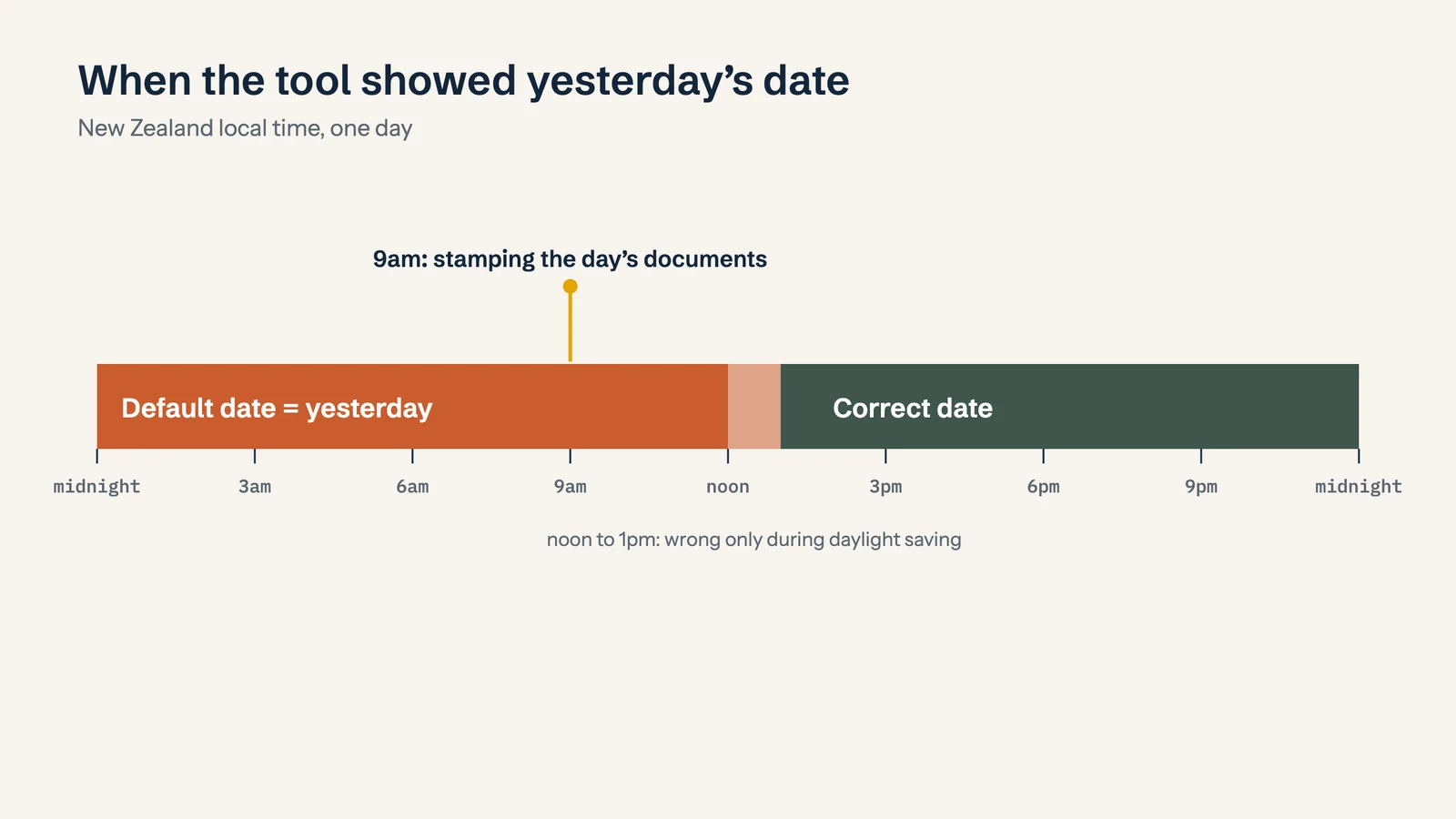
The first was the default date. When the program asked for “today”, it was asking the UTC clock. So in New Zealand, if you opened it before midday in winter or before 1pm in summer, it filled in yesterday’s date. Stamping documents first thing in the morning falls right inside that window.
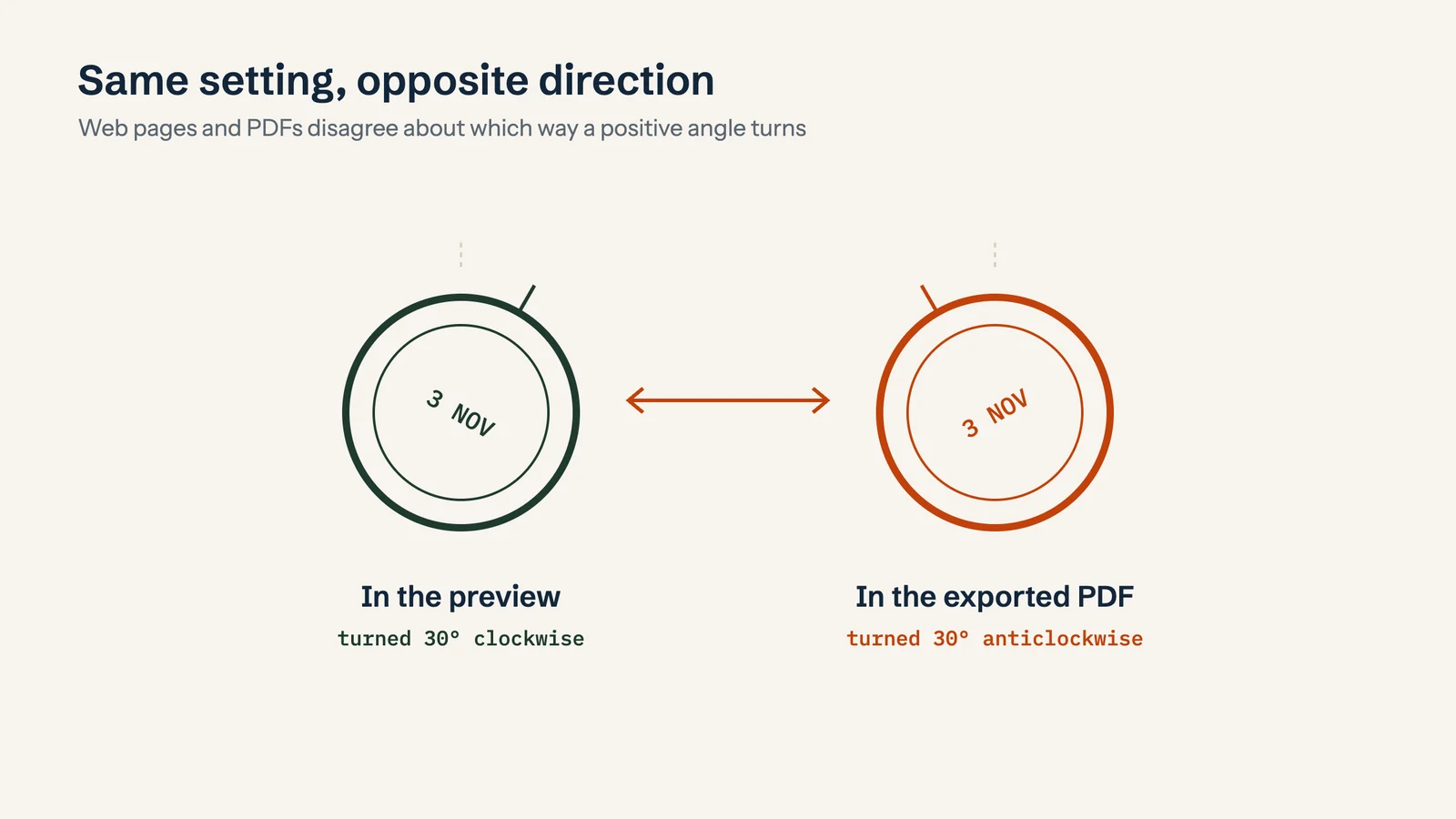
The second was rotation. If you turned the stamp 30 degrees to the right in the preview, the exported PDF turned it 30 degrees to the left. Web pages and PDFs disagree about which direction counts as a positive angle, and the code used the same sign for both.
You couldn’t see either bug by looking at the page. The page opened, the buttons worked, and after four months of use I hadn’t noticed anything wrong.
What I fixed during the rebuild
- All the code had been in one file, 1,575 lines long. Every time you dragged the stamp, the whole image had its background removed again on each mouse movement, which is why it felt slow. The rebuild split it into 7 modules, and changing the font size no longer reprocesses the image.
- Saved templates only lived in the current browser. Switching computers or clearing browser data wiped them. I added export and import for backups.
- Before going live I recorded the current version. After going live, 12 automatic checks run, and if any one fails, the tool rolls back to the old version. That time all 12 passed.
Running only proves it moves. Whether it’s right, you find out by testing it on a real day.
If you’re building your first tool too
- Tell AI your time zone at the very start. You can say it like this:
List every place in this program that uses dates, time zones, angles or units. I’m in New Zealand (UTC+12, or UTC+13 during daylight saving). For each one, explain whether it could go wrong, and write a test for it.
-
For anything visual, like images or layout, pick your test samples first. Gather 3 to 5 real photos (a blue stamp, a red stamp, one with paper texture, one taken at an angle). Ask AI to set up a comparison test, run all of them after every change, and compare with the previous result.
-
If the tool runs entirely in the browser, ask yourself four questions:
- Which browser, and which web address, is the data stored under?
- How do I take it with me to another computer?
- Is there a one-click export?
- What happens if the web address changes?